For whoever sets up Mago in the Magento admin. No server access needed. Where each setting lives, what it does and what we recommend, with screenshots from the Mago demo shop.
Only backend access neededYour AI provider keyAbout 15 minutes
keep default is right for most shopschange set this for your shopoptional your call
Find the settings
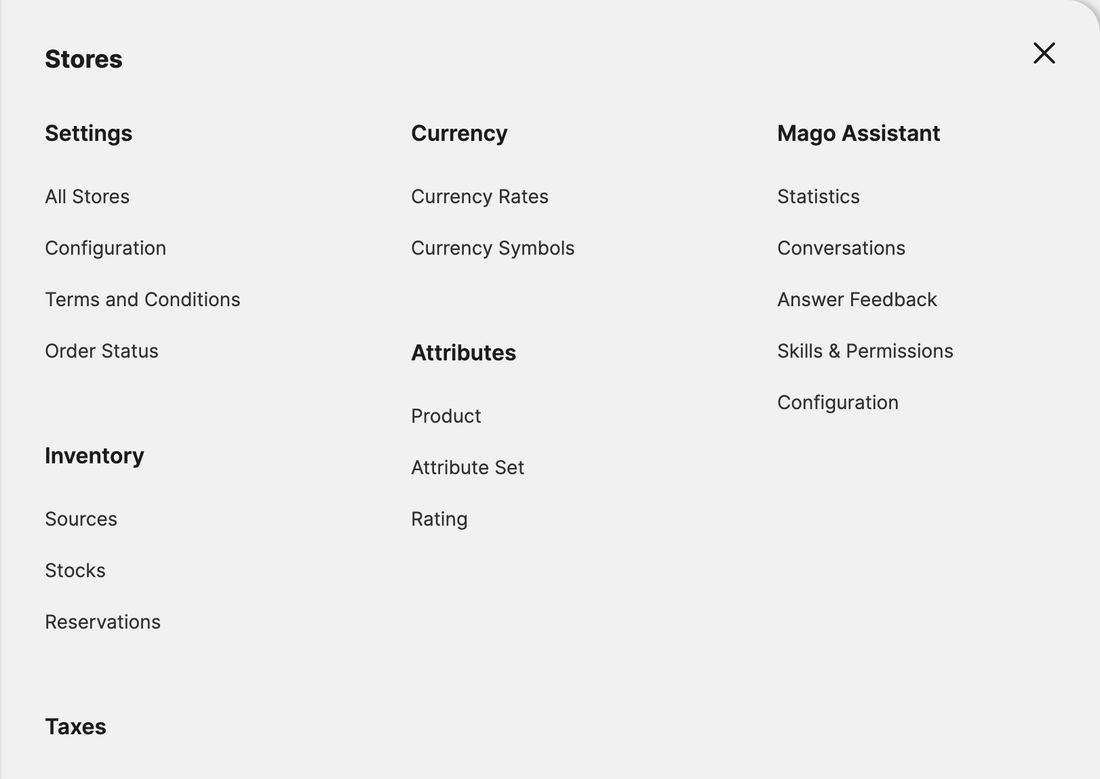
Stores › Mago Assistant
Everything Mago has in the admin sits in its own block under Stores: Statistics, Conversations, Answer Feedback, Skills & Permissions and Configuration. The AI provider and key live one level up, in the shared Mage-OS AI settings.
“Use system value”. Most fields show this checkbox. Untick it to change the field, tick it again to go back to Mago’s default. Click Save Config at the top of the page when you are done.
Add your AI provider and API key
Stores › Configuration › Mage-OS › AI Configuration › Services
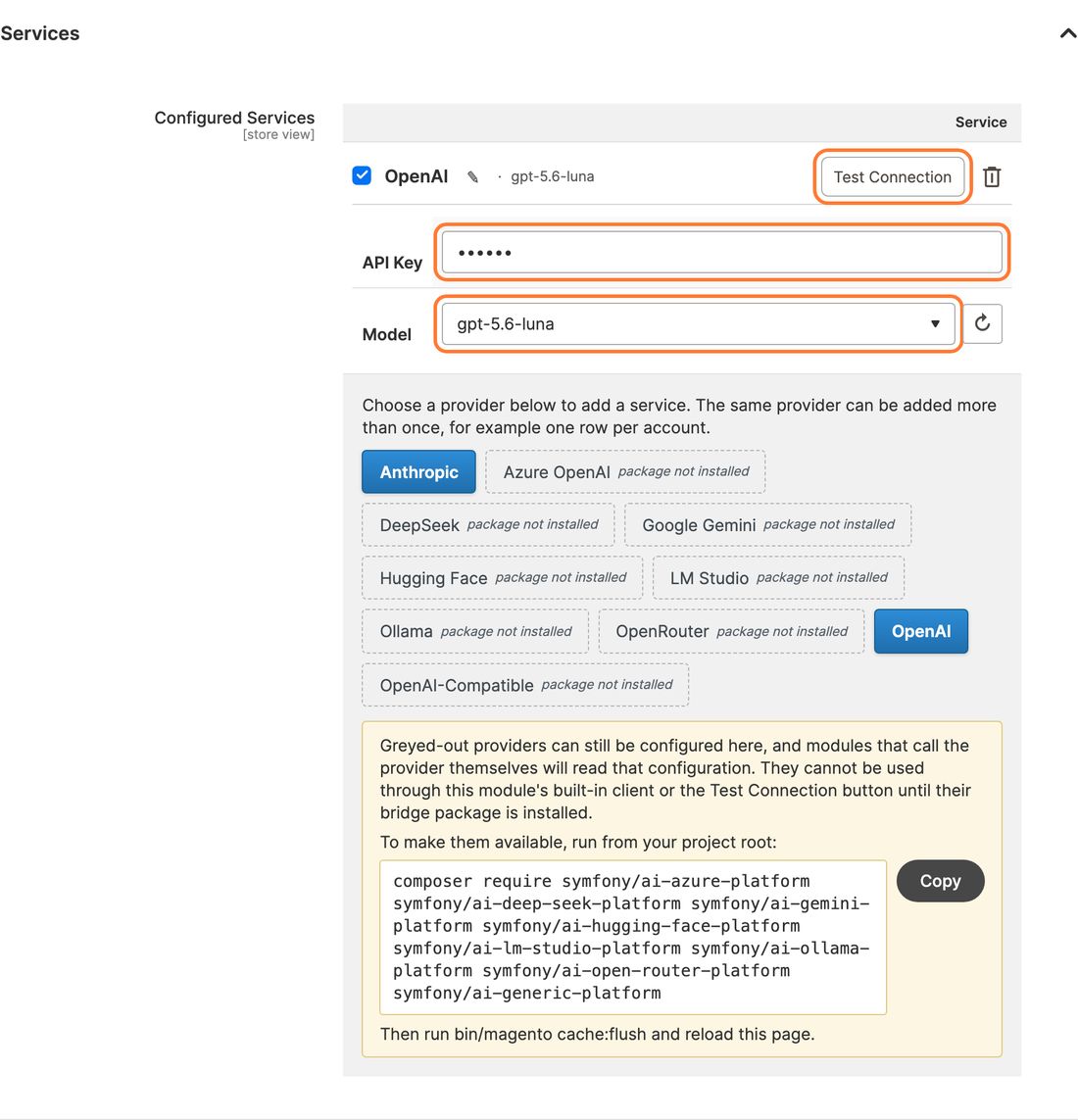
Click a provider below Configured Services, for example Anthropic or OpenAI. A new row appears.
Paste your API Key. After saving it only shows as dots.
Pick a Model. Choose a current chat model, not an image, audio or embedding model. Use ↻ to refresh the list.
Click Save Config, then Test Connection. It has to answer before Mago can.
Optional: click the pencil to give the service a name your team recognises, such as “OpenAI production”.
Greyed-out providers (Azure OpenAI, Gemini, DeepSeek, Ollama and others) say package not installed. A developer has to install them once; the box underneath shows the exact command to send them.
Use a key for this shop only and set a monthly spending limit on the provider’s own dashboard. That gives you a hard ceiling on cost, whatever happens in the admin.
Usage Tracking
same page, below Services
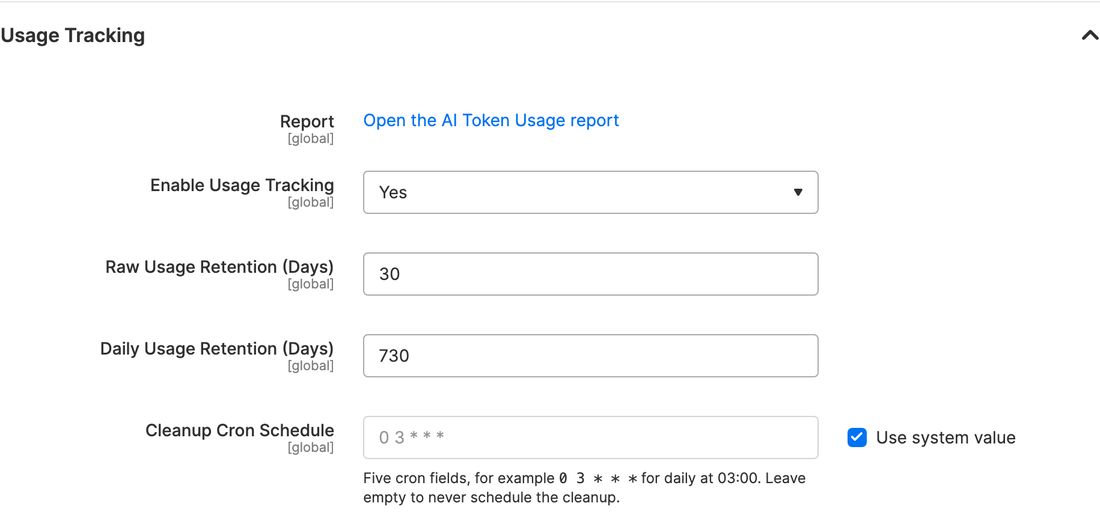
Report
optional
Link to the AI Token Usage report: tokens used by every module that uses this AI layer, not only Mago.
Enable Usage Tracking
keep
Yes. Needed for the cost figures in reports and in Mago’s Statistics.
Raw / Daily Usage Retention
keep
How long detailed (30 days) and daily totals (730 days) are kept. Only shown while tracking is on.
Cleanup Cron Schedule
keep
When old usage rows are removed. Default: daily at 03:00.
Switch Mago on and pick the service
Stores › Mago Assistant › Configuration › General and API Settings
General
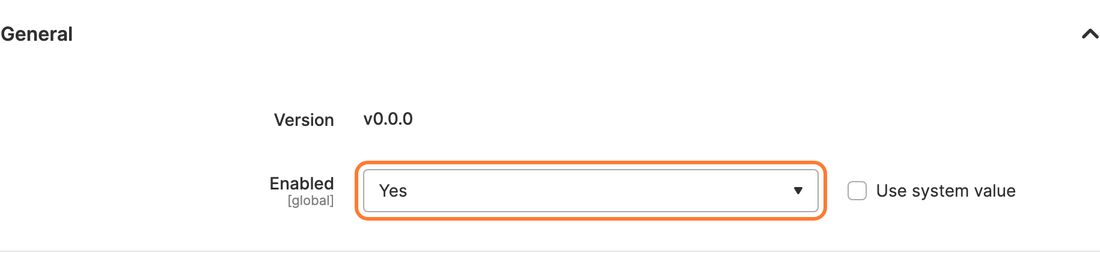
Version
info
The installed Mago version. Handy when you report a problem.
Enabled
change
Yes. Mago is off after installation. Reload the admin afterwards and the Mago icon appears at the top right.
API Settings
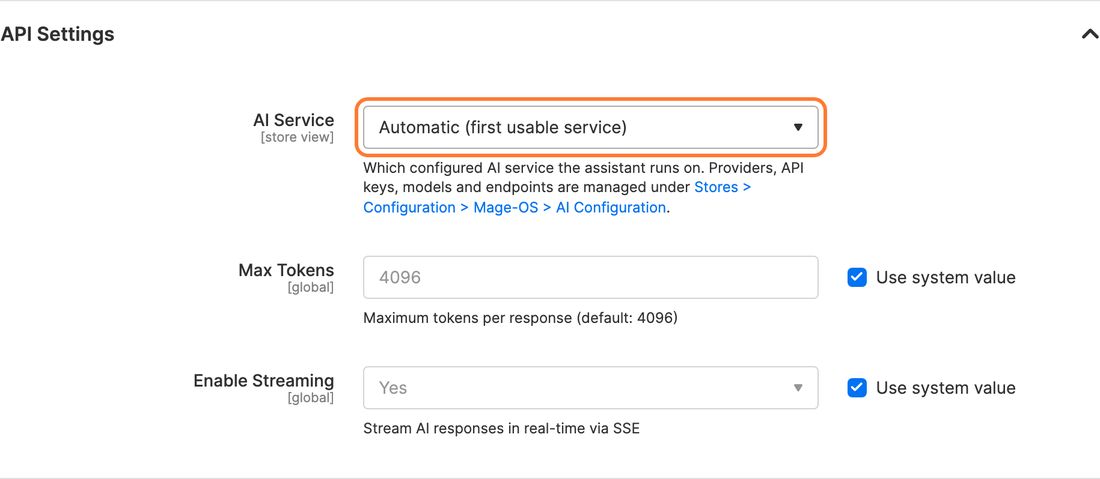
AI Service store view
keep
Automatic uses the first working service from AI Configuration. Pick one explicitly only when you run several, for example a different one per store view.
Max Tokens
keep
Maximum length of one answer. Raise it only if long answers get cut off. Default 4096.
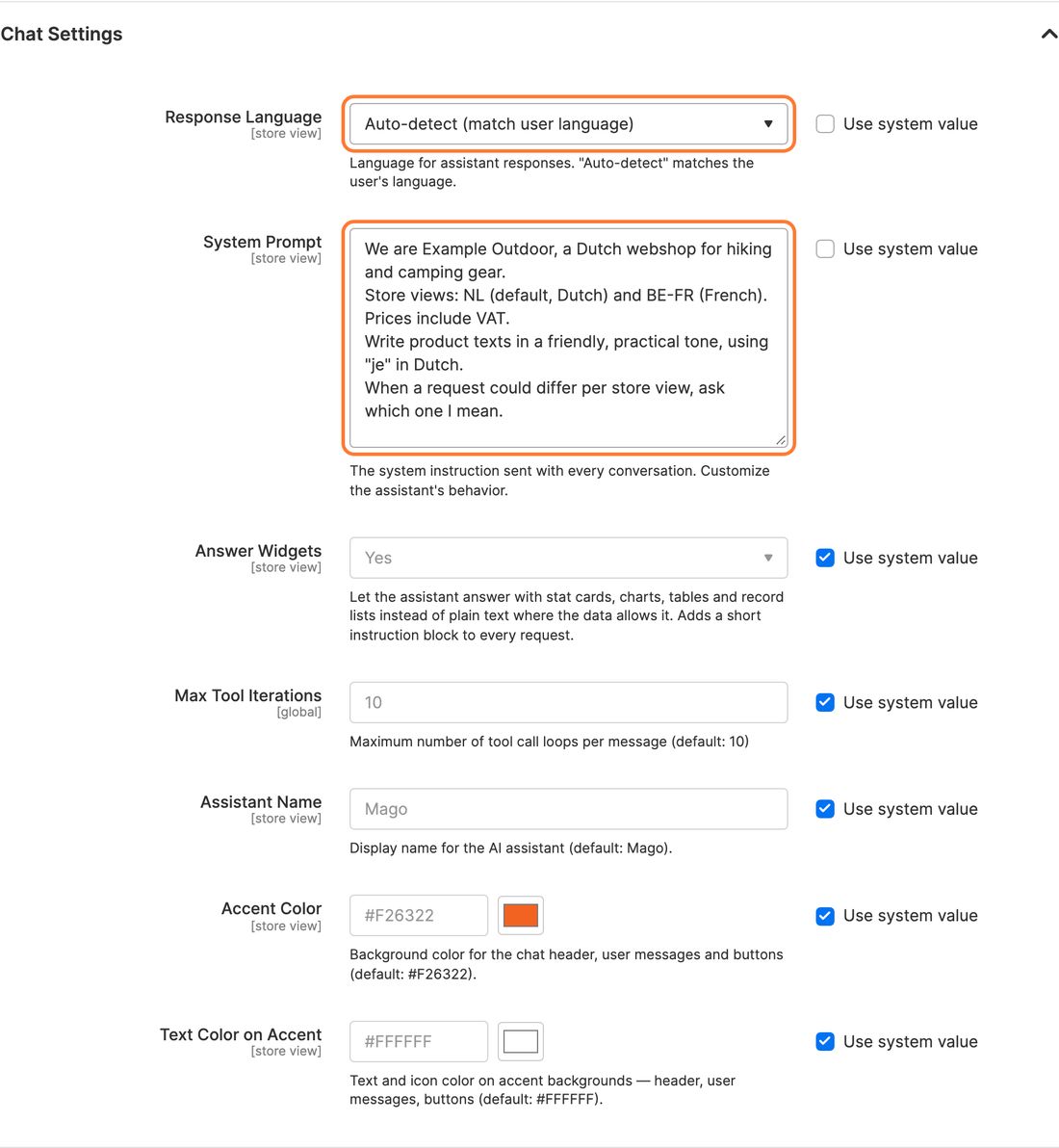
Auto-detect, so everyone gets answers in the language they write in. Choose a fixed language only when the whole team works in one.
System Prompt
change
Sent with every conversation. The single setting that improves answers most. Write a few lines about your shop: what you sell, your store views and languages, prices incl. or excl. VAT, tone of voice and house rules. Untick Use system value first.
Answer Widgets
keep
Yes: answers as stat cards, charts and tables instead of long text.
Max Tool Iterations default scope only
keep
How many lookups Mago may chain for one question. 10 handles comparisons and multi-step jobs.
Assistant Name
optional
Rename the assistant, for example after your shop.
Accent Color / Text Color on Accent
optional
Match the chat panel to your brand. Keep enough contrast between the two.
Example system prompt
We are Example Outdoor, a Dutch webshop for hiking and camping gear.
Store views: NL (default, Dutch) and BE-FR (French). Prices include VAT.
Write product texts in a friendly, practical tone, using "je" in Dutch.
Never promise delivery times in product texts.
When a request could differ per store view, ask which one I mean.
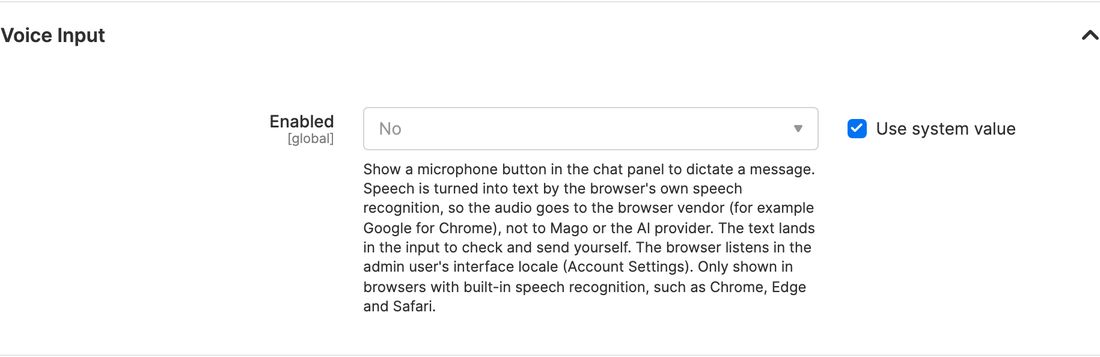
Adds a microphone button next to Send. The browser turns speech into text, so audio goes to the browser maker (Google for Chrome), not to Mago. Off by default. Each admin should set Account Settings › Interface Locale to the language they speak.
Tools
Stores › Mago Assistant › Configuration › Tools
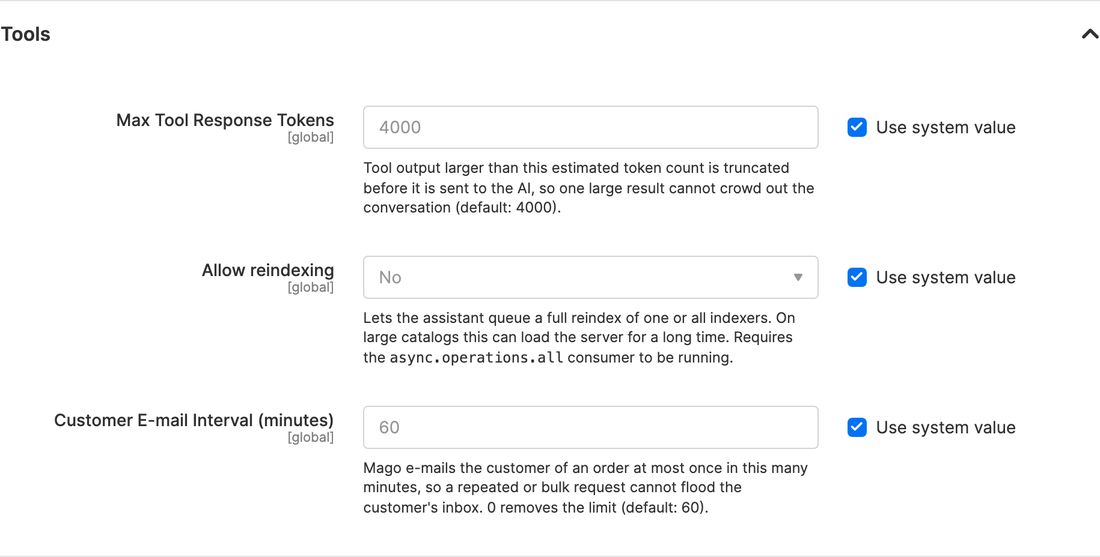
Max Tool Response Tokens
keep
Trims very large lookup results so one big list cannot crowd out the conversation. Default 4000.
Allow reindexing
keep
No, unless your developer confirms the background queue (async.operations.all) runs. A full reindex can load a large shop for a long time.
Customer E-mail Interval
keep
Mago e-mails a customer about an order at most once per 60 minutes, so a bulk request cannot flood an inbox. Never set 0 on a live shop.
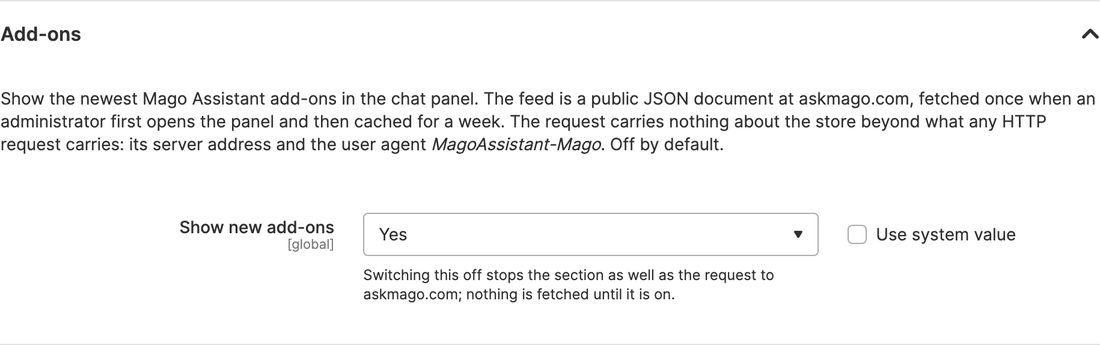
Add-ons
Stores › Mago Assistant › Configuration › Add-ons
Show new add-ons
optional
Shows the newest Mago add-ons in the chat panel. When an admin opens the chat, it fetches a public list from askmago.com and keeps it for a week. The request carries no information about your shop. Off by default.
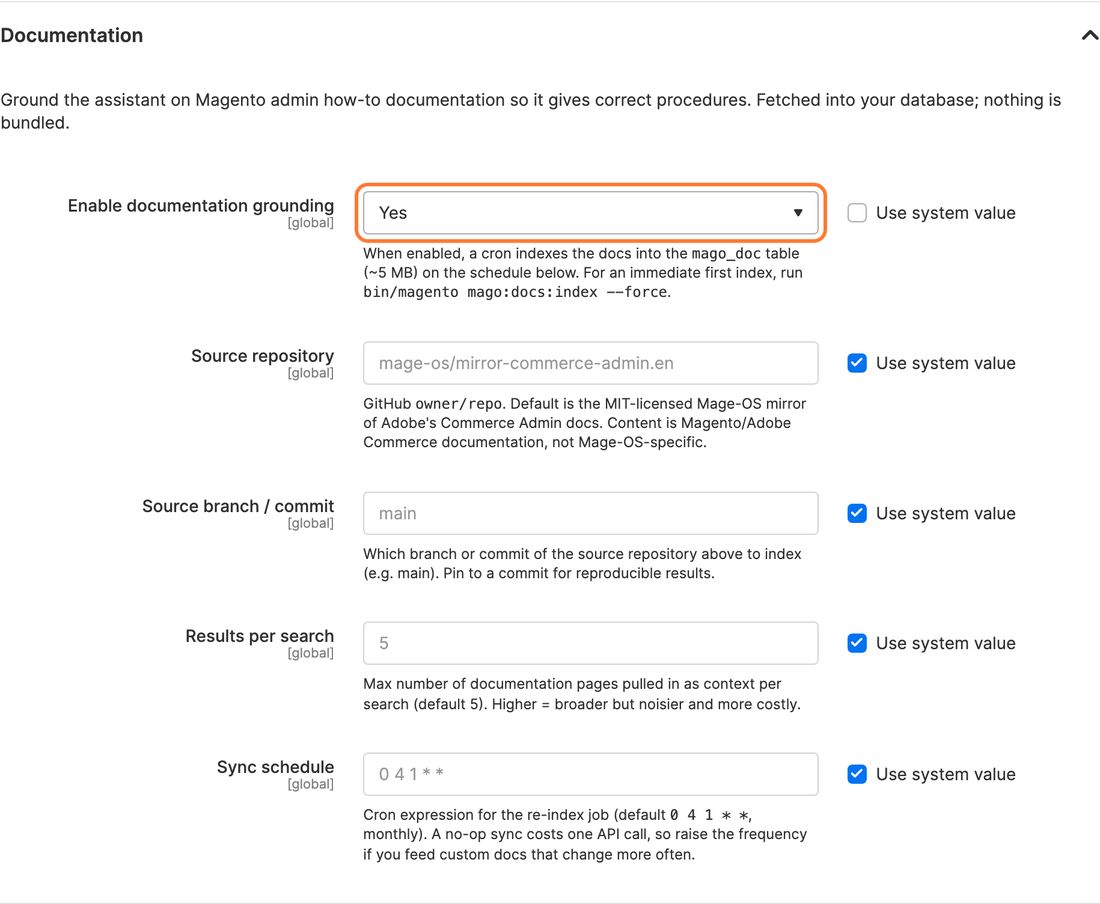
Yes. “How do I…” questions are then answered from the official Magento admin docs, with a link to the page used. The first index runs at the next scheduled sync; to start it right away, ask a developer to run bin/magento mago:docs:index --force.
Source repository / branch
keep
Where the docs come from. Default: the Mage-OS mirror of the Magento admin documentation, branch main. A developer can pin a commit instead.
Results per search
keep
How many doc pages Mago reads per question. 5 is a good balance; higher costs more.
Sync schedule
keep
How often the docs are refreshed. Default: monthly.
Privacy and debug
Stores › Mago Assistant › Configuration › Privacy & Data Retention and Debug & Logging
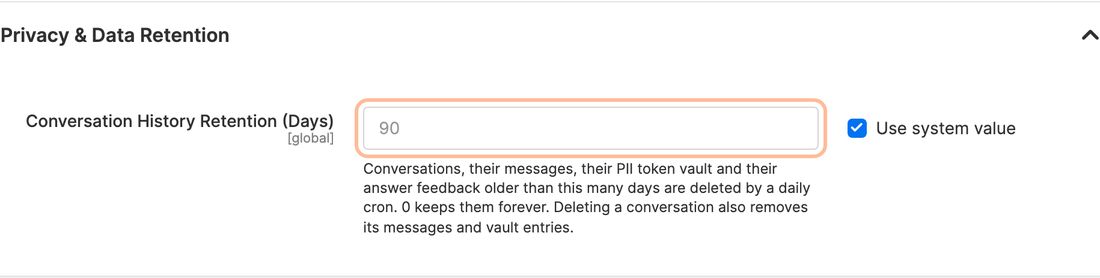
Conversation History Retention
change
Chats older than this are deleted every night, together with their answer feedback and privacy codes. Match it to your privacy policy. Default 90 days. 0 keeps everything forever.
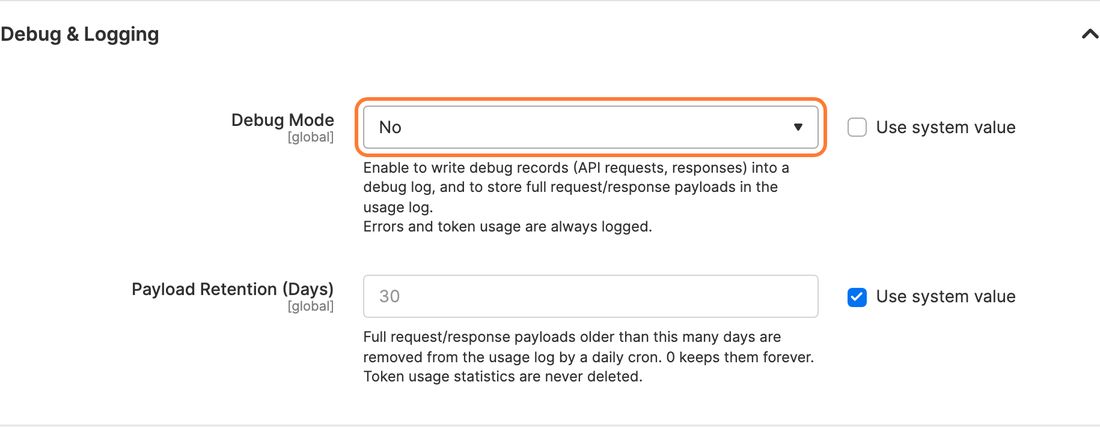
Debug Mode
change
No on a live shop. With debug on, full AI requests and answers are stored. Turn it on briefly only when you are chasing a problem.
Payload Retention
keep
How long those debug records are kept. Default 30 days. Token statistics stay.
Privacy mode is always on. Customer names, e-mail addresses, phone numbers, street addresses and review texts never go to the AI provider. You still need a data processing agreement with your provider. How Mago protects your data →
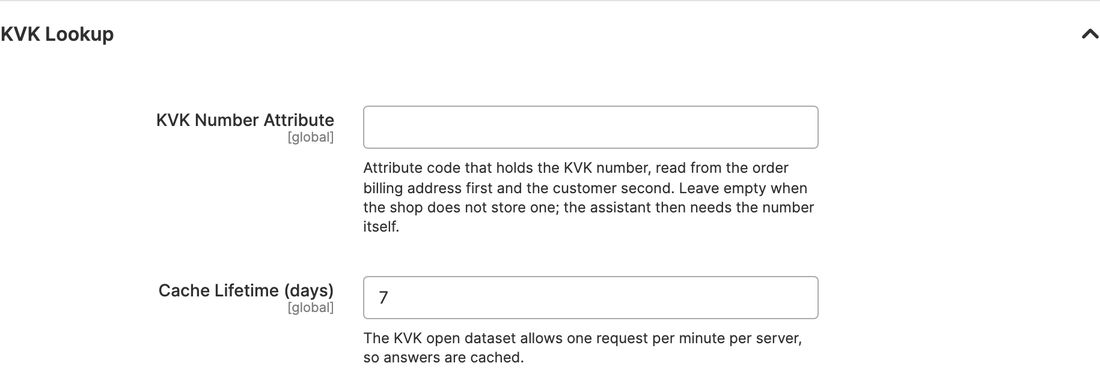
KVK Lookup
Stores › Mago Assistant › Configuration › KVK Lookup (only with the KVK add-on)
KVK Number Attribute
optional
The attribute code where your shop stores the KVK number. Mago looks at the order’s billing address first, then the customer. Leave empty if you don’t store it; then ask with the number itself.
Cache Lifetime (days)
keep
The KVK open data allows one request per minute, so answers are cached. Default 7 days.
Add-ons can add their own block here. Add-ons that call an outside service, such as the KVK and VIES lookups, need a grant on the Skills & Permissions screen before an admin can look up a number they type in. Looking up the company behind an order only needs the right to view orders.
Who may use Mago: user roles
System › Permissions › User Roles › a role › Role Resources
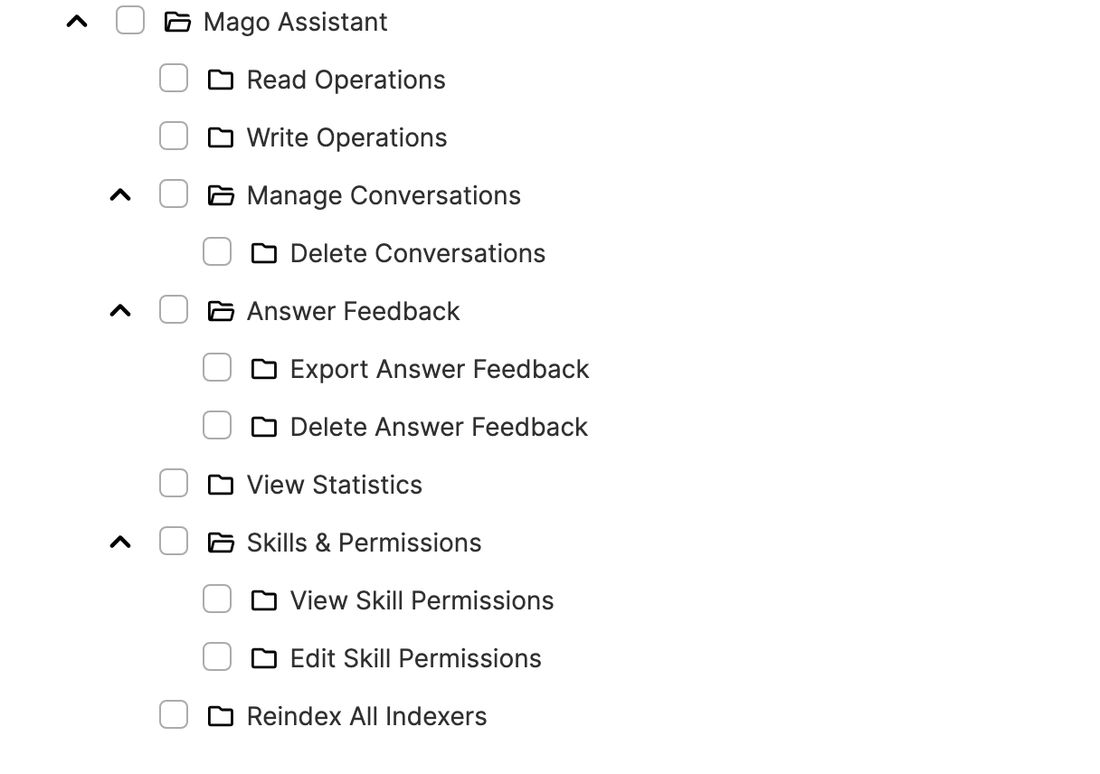
Mago works as the admin who is chatting. It can only see and change what that admin’s role allows elsewhere in the admin. Set Resource Access to Custom and tick what each role gets under Mago Assistant.
Resource
Gives access to
Shop manager
Team member
Mago Assistant
The chat itself
Yes
Yes
Read Operations
Asking questions about sales, products, customers, settings
Yes
Yes
Write Operations
Letting Mago make changes, always after Allow
Yes
If needed
Manage Conversations
Reading every admin’s chats; deleting them is a separate tick
Yes
No
Answer Feedback
Reviewing answers the team marked as wrong
Yes
No
View Statistics
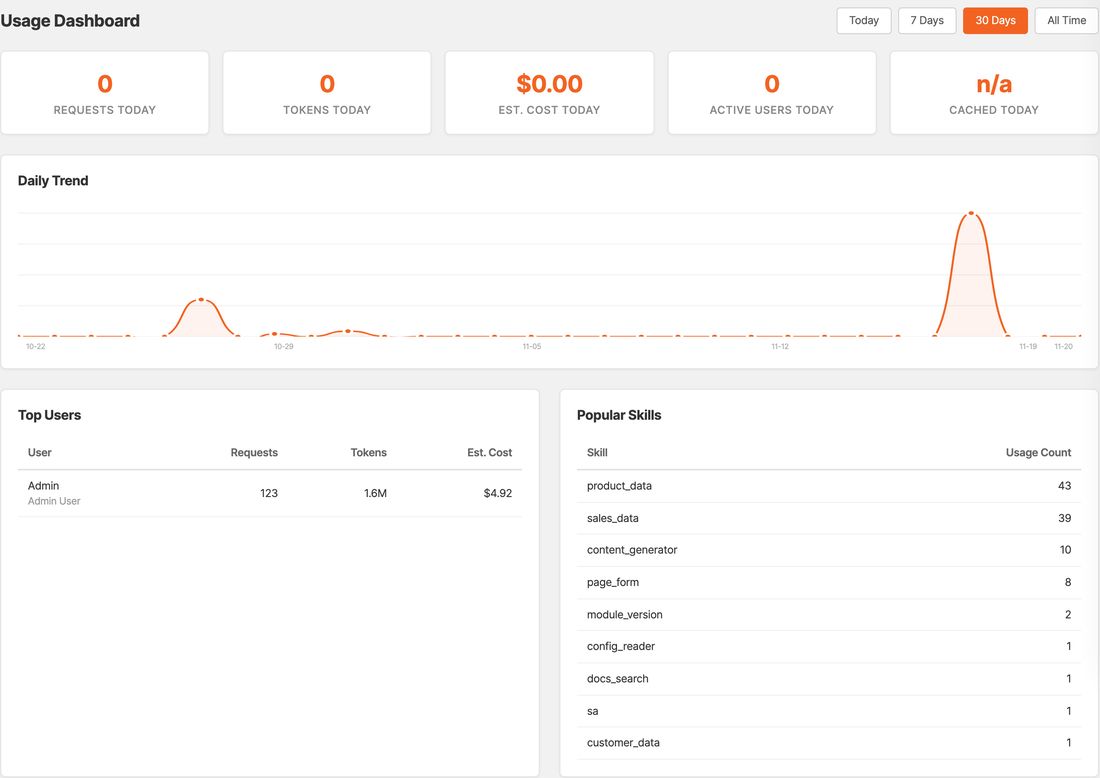
Usage and cost dashboard
Yes
No
Skills & Permissions
Viewing and changing rights per user and skill
Yes
No
Reindex All Indexers
Letting Mago run a full reindex
Only if needed
No
Mago Assistant Configuration
The Mago configuration screens (under Stores › Settings › Configuration)
Yes
No
Administrators with “All” resource access get everything automatically. These choices matter for every other role.
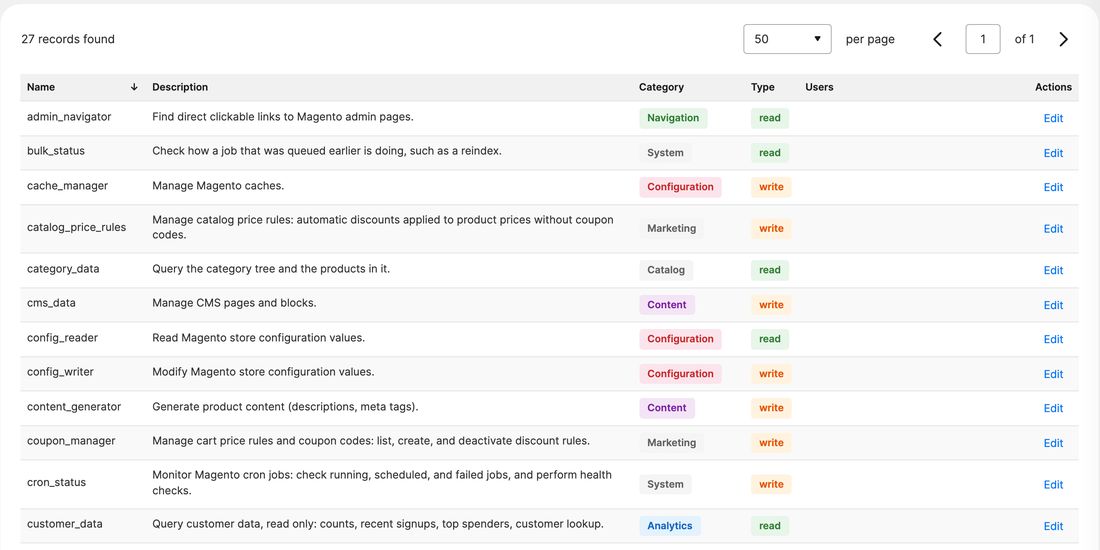
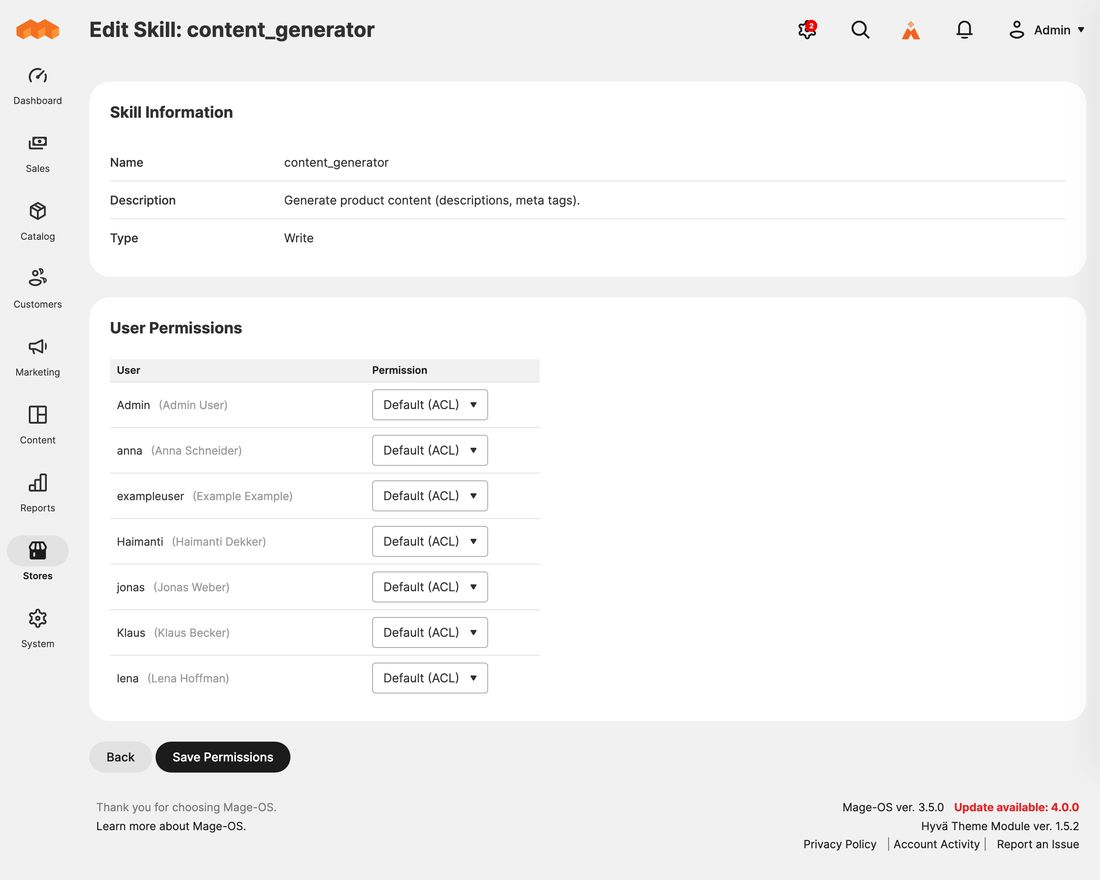
The list shows every skill with its category and whether it reads or writes. Click Edit on a skill to set, per admin user: Default (ACL), Read Only, Read & Write or Disabled. Default means the user role decides. Add-on skills that call an outside service show Default (not granted) instead: nobody gets those until you grant them here.
Use it for exceptions, for example a content editor who may let Mago write product texts (content_generator) but not change settings (config_writer).